
Android · Dev Testing

IronSync
for Android
Sync local folders on your phone, or connect Google Drive, OneDrive, and Dropbox. Analyze before you sync.
What you get
-
Local folder sync
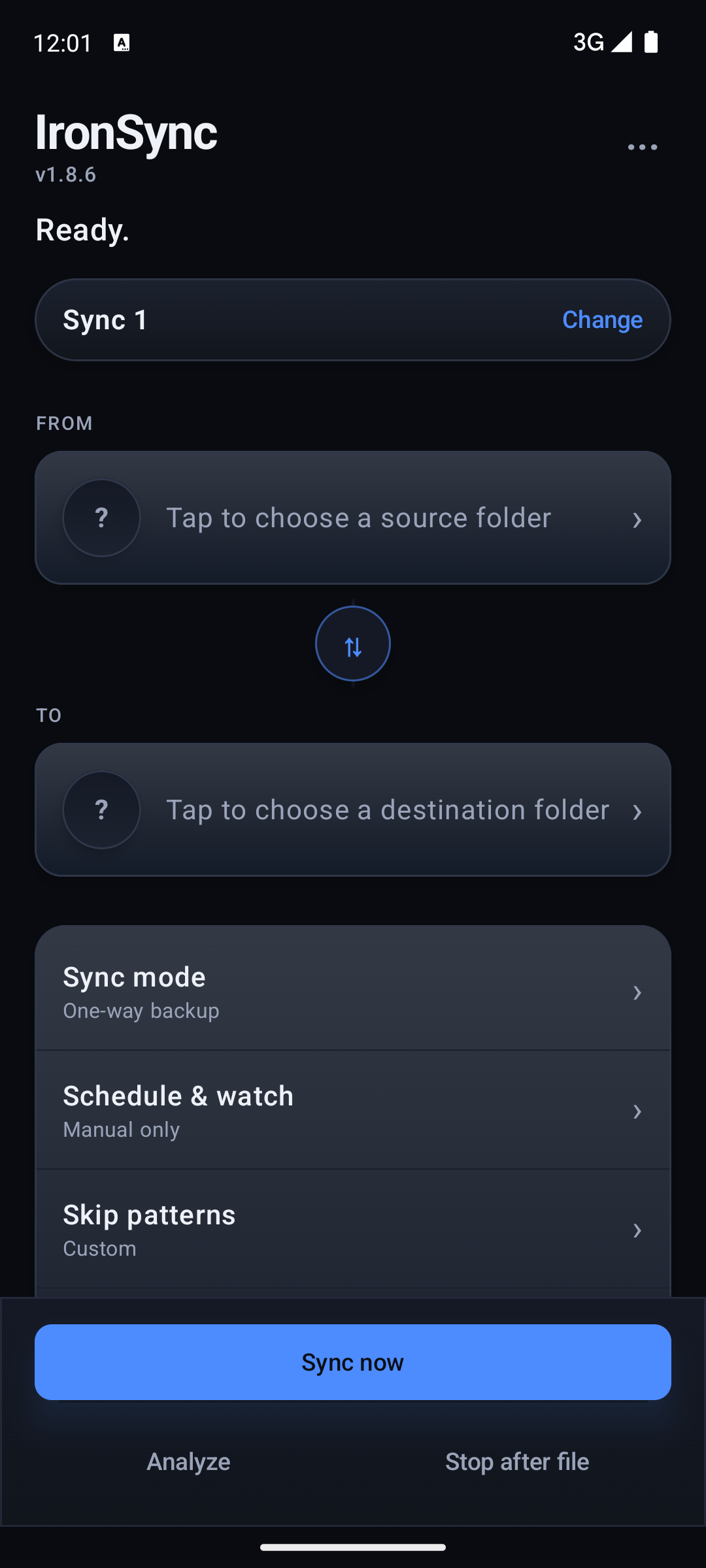
Pick source and destination folders on your phone. Free includes device folder sync with no Ironwood account.
-
Cloud when you need it
Connect Google Drive, Microsoft OneDrive, or Dropbox with in-app sign-in. Local folders still use the system picker.
-
Modes that match the job
One-way backup, one-way mirror, two-way merge, and move (verify, then delete source). Set skip patterns when you need them.
-
Analyze before you sync
Review the planned file list, then Sync now. Stop after the current file if you need to pause cleanly.
-
Schedule and background care
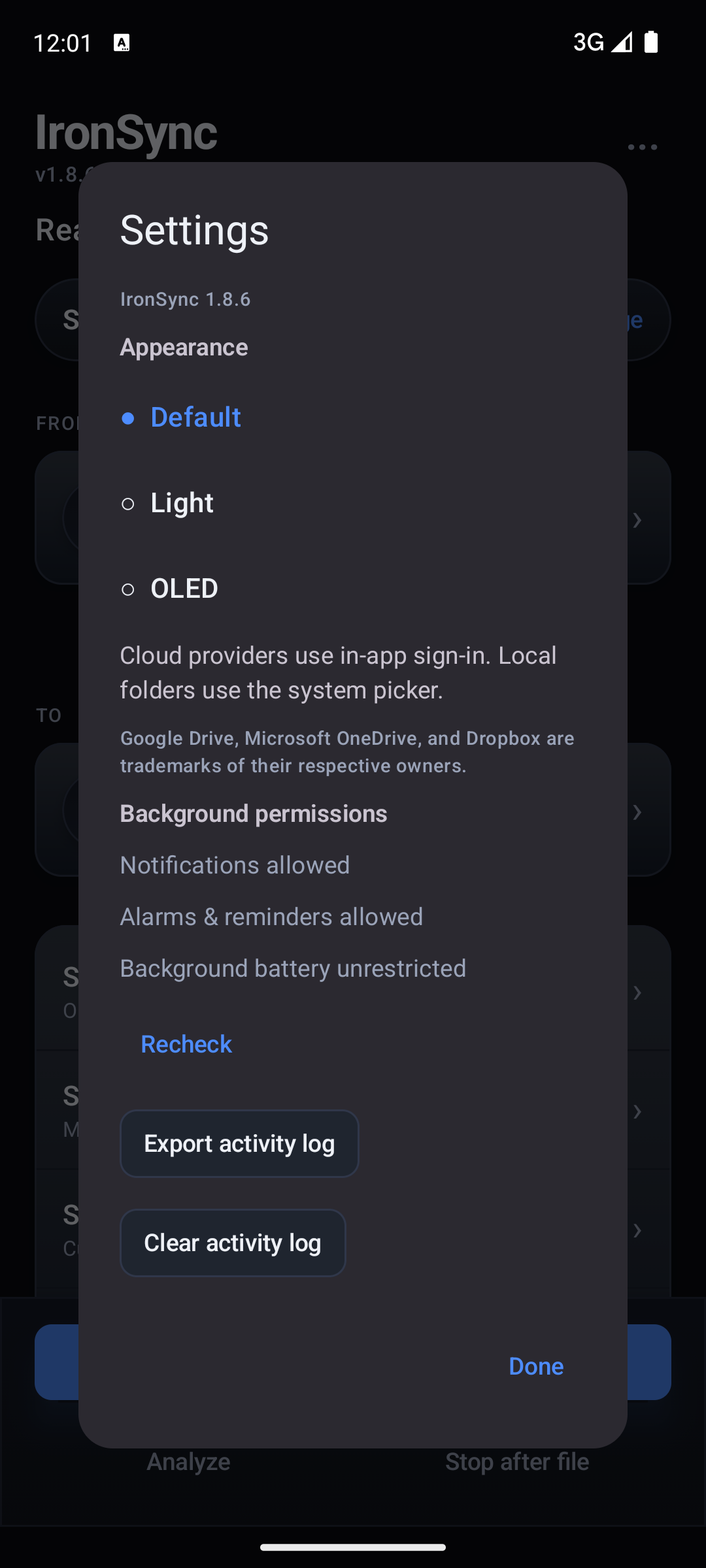
Manual runs by default. Schedule and watch options are available when you want them. Notifications, alarms, and unrestricted battery help background sync stay reliable.
-
Appearance
Themes for Default, Light, and OLED.
Free local. Pro for cloud.
Local and device folder sync stays free. Cloud sync (Google Drive, OneDrive, Dropbox) is IronSync Pro at $2 / month via Google Play Billing. Closed testing builds include a Settings Pro toggle so you can try cloud features at no charge.
Privacy
Sync profiles, settings, and logs stay on your device. Ironwood Apps does not receive your file contents. Cloud providers handle their own sign-in when you connect them. Full policy: IronSync Android Privacy Policy. Guides: Sync two folders (desktop companion) · One-way vs two-way backup. Want to test builds? Join as a tester. Need a second copy on the same phone? IronSync S2. Need the desktop app? IronSync for Windows and Linux. See also all apps, IronGuard, and IronBat. Support: support@ironwoodapps.com.