
Android · Dev Testing

IronGuard
Score your device and every installed app, review permissions, uninstall what doesn’t belong, and clean Private Data, all on your phone.
What you get
-
Scans on your device
Run “Scan all apps now” anytime. Scoring happens on your phone. Results are never uploaded. Free includes a bundled risk list that updates with the app. Pro can pull live risk database updates.
-
Device score and app scores
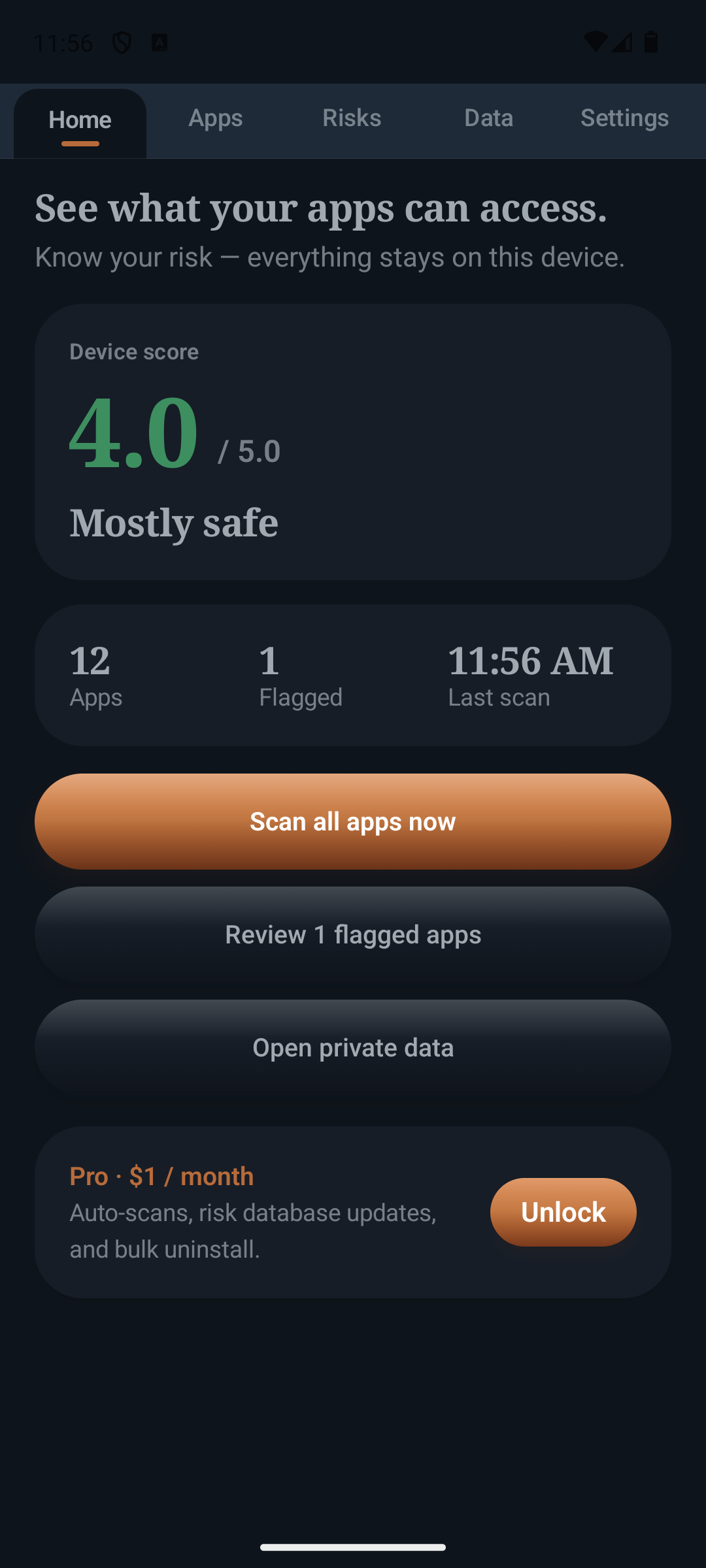
See an overall device score out of 5.0, plus a score for each app with plain language labels from looking good to high risk. Home shows apps scanned, flagged count, and last scan.
-
Full app list with filters
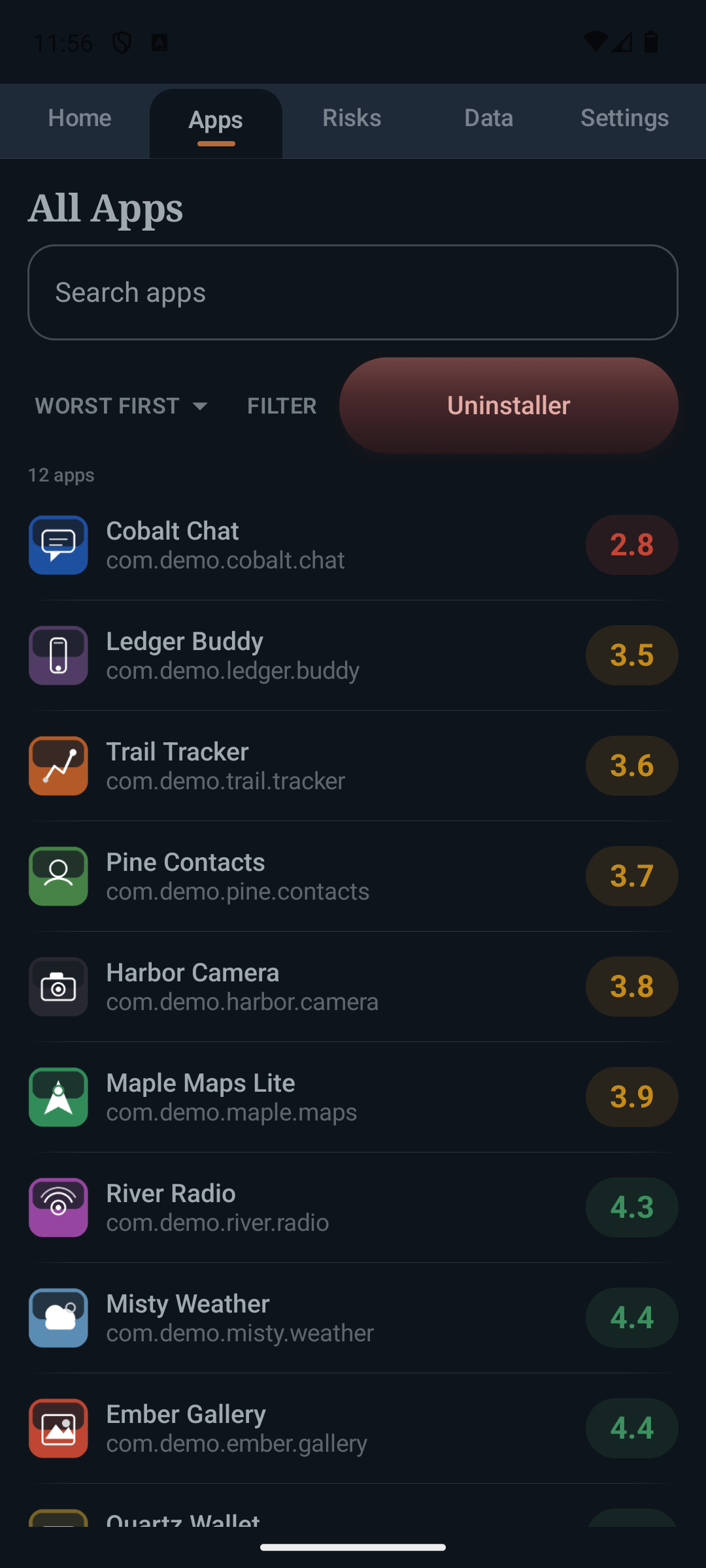
Browse every installed app, search, and sort worst first or A to Z. Filter by permission categories like location, microphone, camera, contacts, messages, and more.
-
Why this score
Open any app for a score breakdown, permissions explained in plain English (on/off), a jump to system permission settings, and uninstall in one tap.
-
Risks review
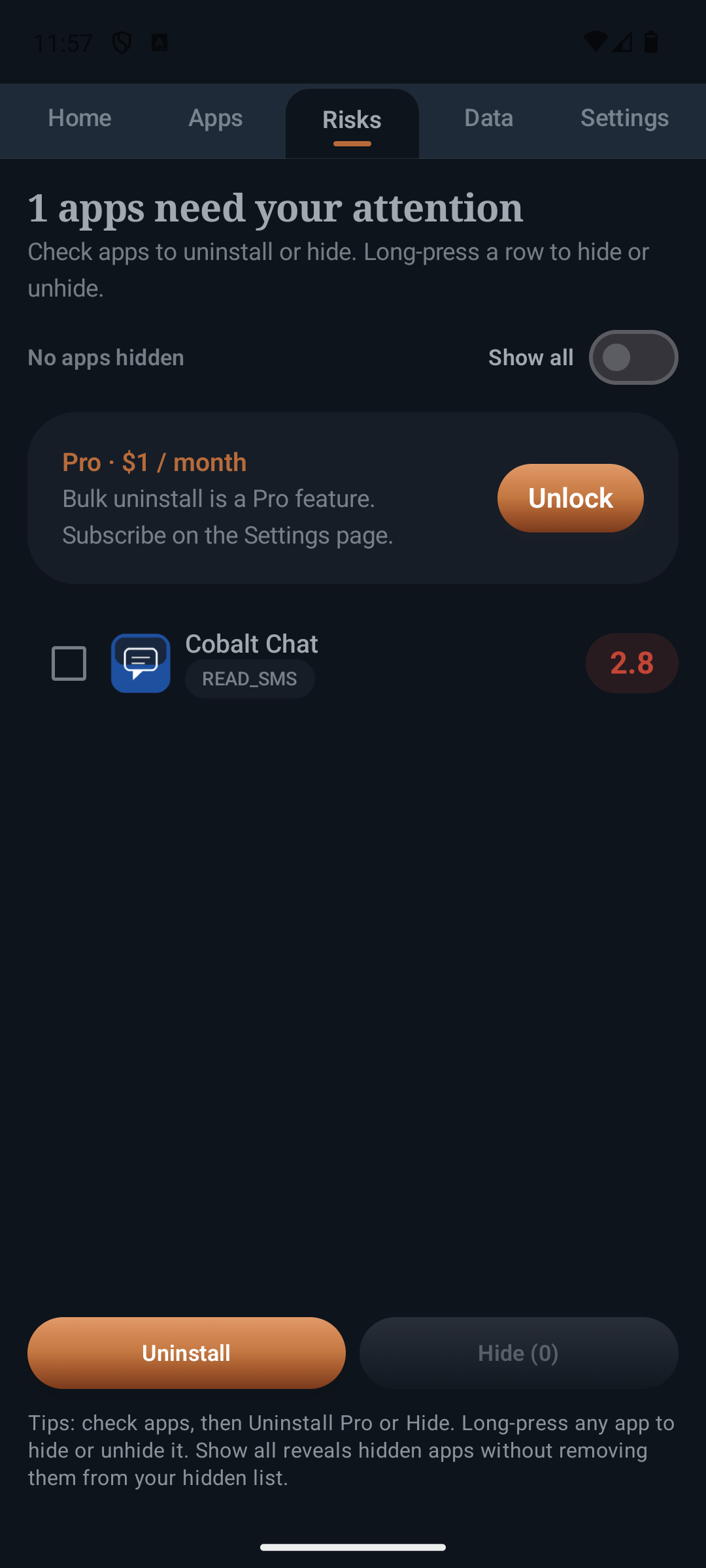
Focus on apps that score under 3.5, see reason chips, hide noise you don’t care about, and uninstall from the list.
-
Uninstaller
Dedicated uninstall list for installed apps (and a wider system/OEM view). Free users uninstall one at a time; Pro adds a bulk queue where you select multiple apps.
-
Private Data
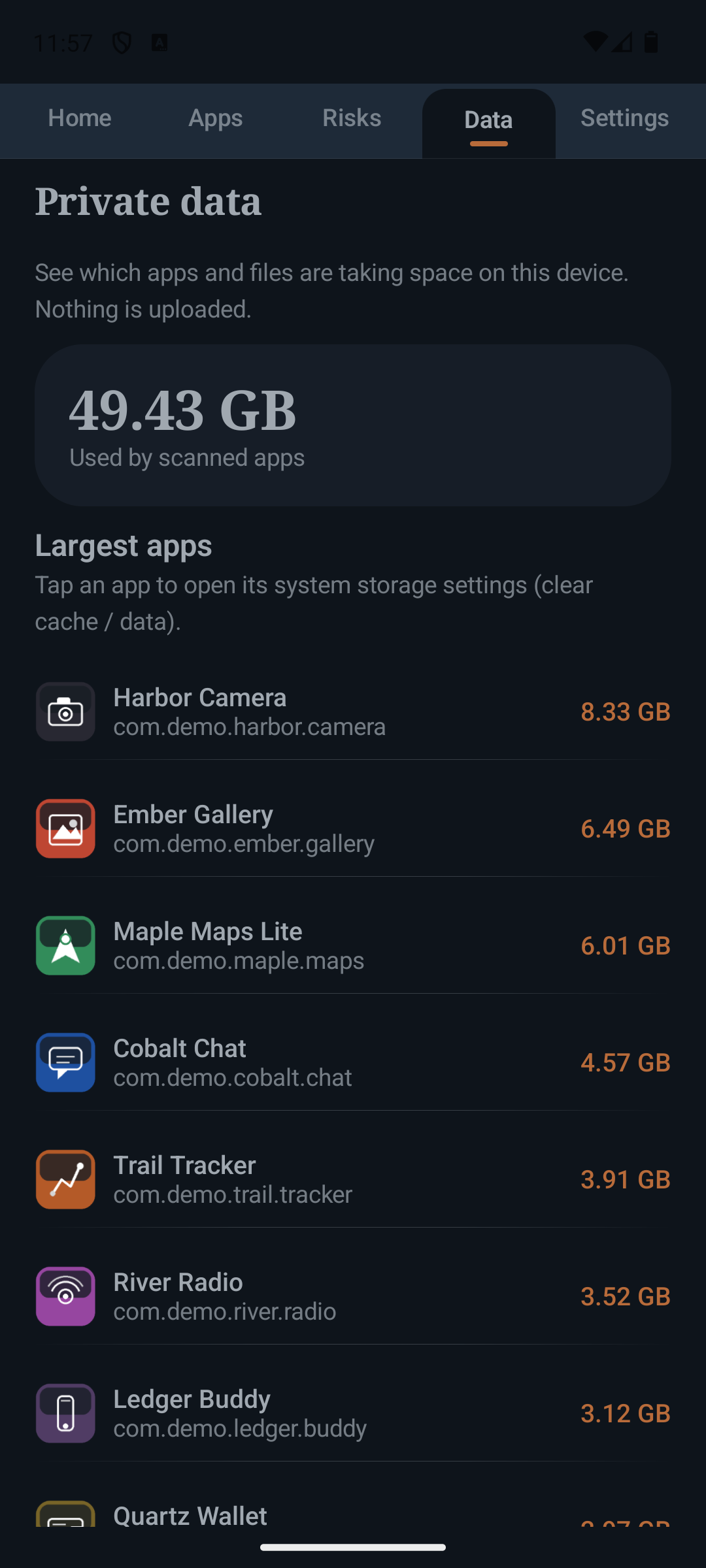
Find large apps and oversized files on device storage, open system storage settings, and delete selected local files. Nothing from Private Data is uploaded.
-
Appearance
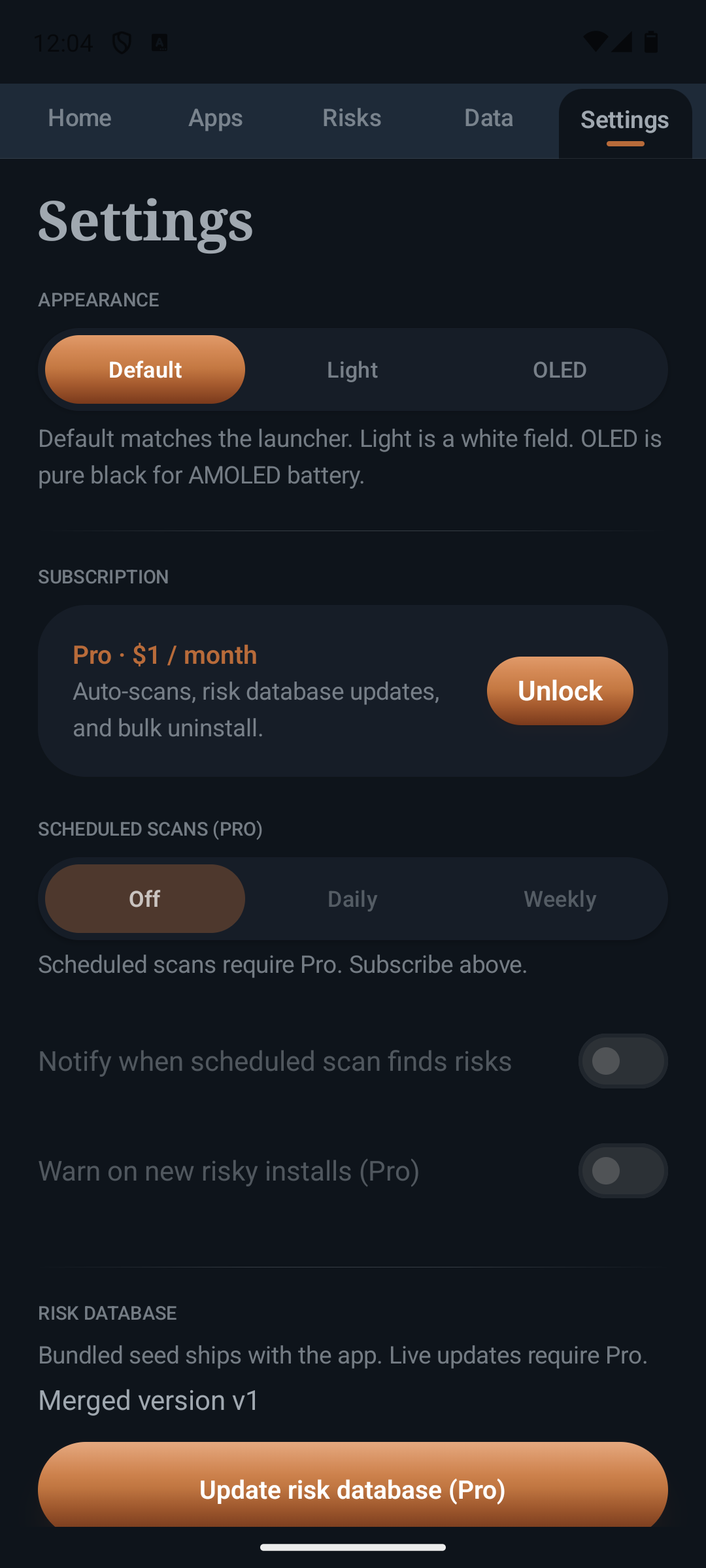
Themes for Default, Light, and OLED.
IronGuard Pro ($1 / month)
-
Scheduled automatic scans
Daily or weekly full device scans while IronGuard is closed. Morning, afternoon, evening, night, or a custom time. Each scheduled scan also reviews apps installed since the last run. Optional notification when a scheduled scan finds risks, including newly installed apps that look risky.
-
Live risk database updates
Pull the latest high risk package list anytime so new patterns can land without waiting on an app store release. Scheduled scans refresh it too.
-
Bulk uninstall + Uninstall Assist
Queue multiple apps from Risks or Uninstaller and run them through a bulk flow. Optional Uninstall Assist (Accessibility) automatically taps the system Uninstall button during that bulk run only.
Privacy
All scanning stays on the device. IronGuard does not upload scan results. It does not change your permissions for you. Turning a permission off in system settings is what improves a score. Full policy: IronGuard Privacy Policy. Guides: Android privacy permission audit. Want to test builds? Join as a tester. See also all apps, IronPulse, and IronBat. Support: support@ironwoodapps.com.